
App Logo Template
Design a better app icon on paper first. This pack gives you printable sketch sheets with standard app icon keyline grids, a clear specification of the sizes the app stores ask for, and a checklist workbook so no export is missed.
- Instant download
- Editable Word & Excel
- Print-ready PDF
- 7-day refund
6 files · PDF, DOCX, XLSX
App Logo Template Pack
Icon sketch sheets, keyline grids, size specs, a small-size test sheet, an icon brief and an export checklist.
- Icon sketch sheets (PDF, DOCX)
- Keyline grid reference (PDF)
- Icon size specification (PDF, DOCX, XLSX)
- + 3 more
$9.00 USD, one-time 6 files · about $1.50 each
- Instant download
- 7-day refund
- Secure checkout by Stripe
7-day money-back guarantee. Full refund within 7 days of purchase, even after you download.
Free sample: App Icon Sketch Sheets (PDF, 57 KB)
App Logo Template Pack
Icon sketch sheets, keyline grids, size specs, a small-size test sheet, an icon brief and an export checklist.
- Icon sketch sheets (PDF, DOCX)
- Keyline grid reference (PDF)
- Icon size specification (PDF, DOCX, XLSX)
- Small-size test sheet (PDF)
- Icon brief (PDF, DOCX)
- Export checklist (Excel)
Formats: PDF, DOCX, XLSX. Instant download after payment (link valid 72 hours, up to 5 downloads). AI-assisted: the templates were drafted with AI help and reviewed and laid out before publishing.
$9.00 USD, one-time 6 files · about $1.50 each
- Instant download
- 7-day refund
- Secure checkout by Stripe
7-day money-back guarantee. Full refund within 7 days of purchase, even after you download.
Free sample: App Icon Sketch Sheets (PDF, 57 KB)
Full refund within 7 days — see the refund policy and license.
Free printables
Single sheets you can print right now, no sign-up. The full pack adds every sheet in one download plus the editable files.
 Printable App Icon Sketch Sheet
 Printable Keyline Grid Reference
 App Icon Size Specification Chart
 App Logo Small-Size Test Sheet
 Printable App Icon Brief Sheet
 App Icon Export Checklist
What is in the app logo template pack
- Icon sketch sheets — pages of rounded-square and circular icon frames at several sizes with a keyline grid, so you can sketch many ideas quickly.
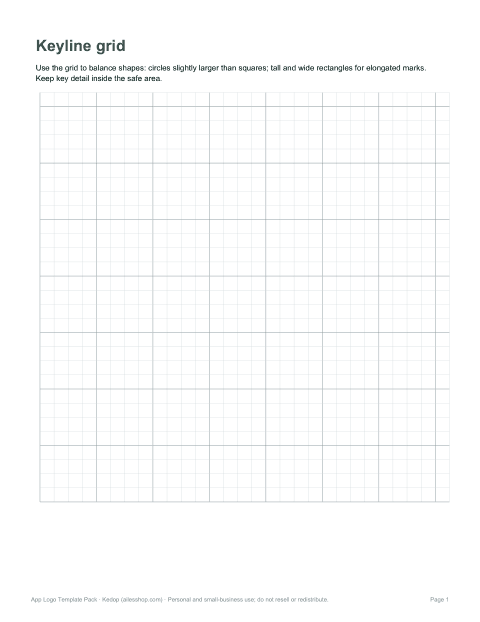
- Keyline grid reference — the common construction grid with a centre circle, square and portrait/landscape rectangles that keep shapes visually balanced.
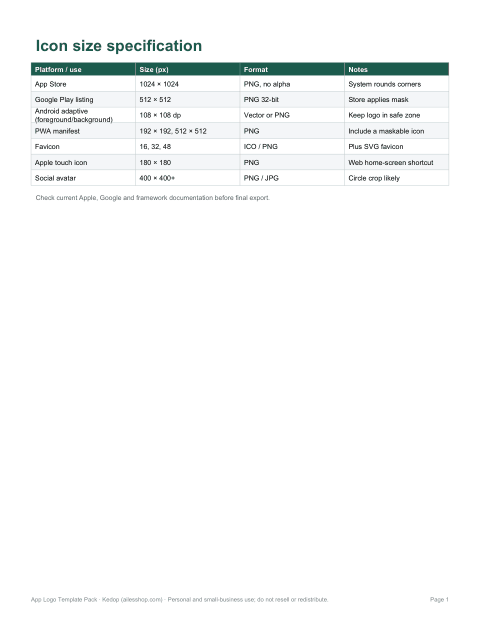
- Size specification sheet — the icon sizes app stores and platforms commonly require, in one table.
- Small-size test sheet — frames at 16, 32 and 48 pixels scale to check readability of a concept.
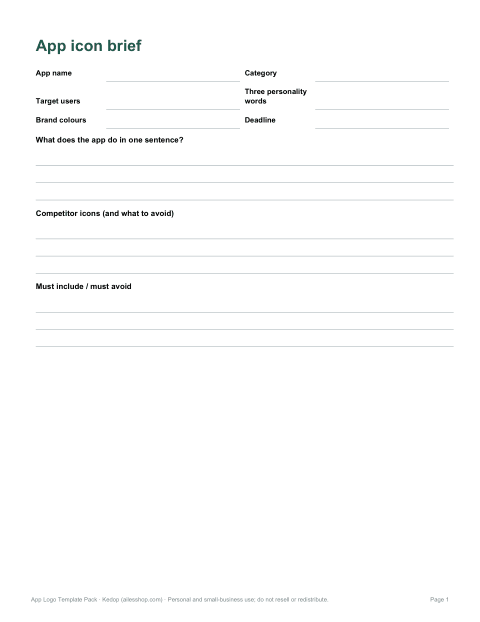
- Icon brief template (Word) — app name, audience, personality, colours, competitor icons and must-avoid elements.
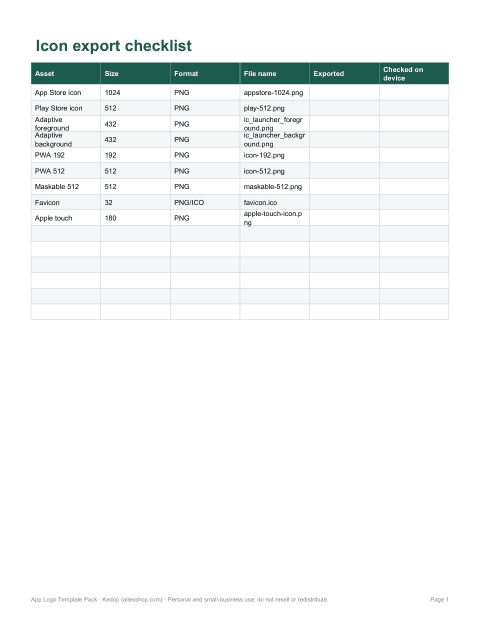
- Export checklist workbook (Excel) — every size, format and file name, with status columns.
Why start an app icon on paper
An app icon is seen at tiny sizes among dozens of competitors, so the idea matters more than the rendering. Sketching twenty small thumbnails in the frames takes minutes and quickly shows which concepts read clearly as a simple silhouette. The keyline grid helps you size circles, squares and tall or wide shapes so they appear the same visual weight — a circle needs to be slightly larger than a square to look equally big. Only once a concept works at small size is it worth moving into a vector design tool.
Common app icon sizes
| Where | Artwork size | Notes |
|---|---|---|
| Apple App Store (iOS) | 1024 × 1024 px | Square, no transparency; the system applies rounded corners |
| Google Play store listing | 512 × 512 px | 32-bit PNG; Play applies its own mask |
| Android adaptive icon | 108 × 108 dp layers | Keep the logo inside the central safe zone (about 66–72 dp) |
| Web app / PWA | 192 × 192 and 512 × 512 px | Listed in the web app manifest; add a maskable version |
| Browser favicon | 16, 32, 48 px (ICO or PNG) and SVG | Must read at very small sizes |
How to use the templates
- Fill in the icon brief: what the app does, who it is for and three words for its personality.
- Print the sketch sheets and draw at least 20 quick ideas without judging them.
- Pick three and redraw them on the keyline grid, balancing the main shape.
- Test the three on the small-size sheet: squint or view from a distance — can you still tell what it is?
- Build the chosen icon in your vector tool, following the size sheet.
- Tick off every export in the checklist workbook before submitting to the stores.
Design principles for app icons
- One idea: a single, bold shape reads better than a detailed scene.
- Limited colours: two or three colours with strong contrast stay recognisable.
- No small text: app names are shown under the icon; words inside it become unreadable.
- Consistent with the brand: reuse the logo mark or colour so the icon connects to your website and store listing.
- Distinct from competitors: check the store category and avoid the most common symbols and colours.
- Test on light and dark wallpapers and in dark mode.
Formats
Sketch sheets, the grid reference and the size sheets are print-ready PDFs (US Letter; they also print on A4). The icon brief and size specification also come as editable Word documents, and the export checklist is an Excel workbook. The pack contains templates and guidance, not a finished logo or design-software files.
Who uses it
Indie developers who do their own design, product managers briefing a designer, students in UX and graphic design courses, and small agencies running quick icon workshops with clients. The brief template is especially useful when you commission an icon: it answers most of the questions a designer will ask.
Frequently asked questions
Does this include a ready-made logo?
No. It gives you templates, grids and specifications to design your own icon or brief a designer.
What size should my App Store icon be?
Apple currently asks for a 1024 × 1024 px square image; always check the current guidelines.
Can I use the sketch sheets digitally?
Yes, import the PDF pages into a drawing app as a background layer.
Is it suitable for Android adaptive icons?
Yes, the grid reference shows the safe zone concept used by adaptive icons.
Was AI used?
Yes. The templates were drafted with AI assistance, then reviewed, edited and laid out before publishing.